• Hey Guest,

    We wanted to share a quick update with the community.

    Our public expense ledger is now live, allowing anyone to see how donations are used to support the ongoing operation of the site.

    👉 View the ledger here

    Over the past year, increased regulatory pressure in multiple regions like UK OFCOM and Australia's eSafety has led to higher operational costs, including infrastructure, security, and the need to work with more specialized service providers to keep the site online and stable.

    If you value the community and would like to help support its continued operation, donations are greatly appreciated. If you wish to donate via Bank Transfer or other options, please open a ticket.

    Donate via cryptocurrency:

    Bitcoin (BTC):
    Ethereum (ETH):
    Monero (XMR):
FTL.Wanderer

FTL.Wanderer

Enlightened
May 31, 2018
1,780
The redesign is great--thanks to all of you who worked hard on this. One feature of the old site I've not yet figured out how to activate on the new one is the differentiation between old and new alerts. Before, new alerts had the little asterisks to let you know where new ones were. Am I missing how to tell the new alerts with the redesign?

Thanks, again, for making a safe space for us all.
 
  • Like
Reactions: Whatshername, lemmeeleev, Minudah and 1 other person
Whatshername

Whatshername

That Ghost Lady on the Hill
Dec 14, 2018
1,352
Before, new alerts had the little asterisks to let you know where new ones were. Am I missing how to tell the new alerts with the redesign?

I second this.

Also, will it be permanent that you can't see under the posts how many people (and who) liked/reacted?

Edit: Please disregard my question. I was talking about laptop in the first place, not phone, but I can see it now.
 
Last edited:
  • Like
Reactions: lemmeeleev, littlelady774 and FTL.Wanderer
Minudah

Minudah

Stupid
Dec 3, 2018
1,356
Also, will it be permanent that you can't see under the posts how many people (and who) liked/reacted?
What do you mean? They show up for me on both the light and dark themes
 
  • Like
Reactions: lemmeeleev
Didymus

Didymus

Clutching at invisible straws
Dec 11, 2018
348
In light theme I don't see the usernames near the reaction icons. On desktop as well as mobile

8750
 
  • Like
Reactions: lemmeeleev, littlelady774 and Whatshername
Whatshername

Whatshername

That Ghost Lady on the Hill
Dec 14, 2018
1,352
In light theme I don't see the usernames near the reaction icons. On desktop as well as mobile

View attachment 8750

Yes that was my problem too. Just figured out to click a little to the right of the icon. I confused myself further, because I was using dark theme on m phone and light on laptop. :D I though it was different on phone and laptop, but I realised it was just the theme. I'm slow sometimes :)
 
Last edited:
  • Like
Reactions: lemmeeleev and Didymus
FTL.Wanderer

FTL.Wanderer

Enlightened
May 31, 2018
1,780
What do you mean? They show up for me on both the light and dark themes

For what it's worth, I also no longer see those metrics...
 
  • Like
Reactions: lemmeeleev and Whatshername
Whatshername

Whatshername

That Ghost Lady on the Hill
Dec 14, 2018
1,352
For what it's worth, I also no longer see those metrics...

As I said above, I thought it was a difference between phone and desktop, but it's the theme. You can see it in dark mode, but in light you have to click beside the icon to see them in pop-up, or highlight it. Needs some tweaking :)
 
Last edited:
  • Like
Reactions: lemmeeleev and FTL.Wanderer
FTL.Wanderer

FTL.Wanderer

Enlightened
May 31, 2018
1,780
As I said above, I thought it was a difference between phone and desktop, but it's the theme. You can see it in dark mode, but in light you have to click beside the icon to see them in pop-up. Needs some tweaking :)

Thanks.
 
  • Like
Reactions: lemmeeleev and Whatshername
Whatshername

Whatshername

That Ghost Lady on the Hill
Dec 14, 2018
1,352
I noticed if you change it to "incognito light" they show up again. This seems completely backwards..

I haven't tried the incognito mode till now, but you're right. Thanks :)
 
  • Like
Reactions: lemmeeleev and Taylor
Didymus

Didymus

Clutching at invisible straws
Dec 11, 2018
348
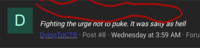
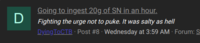
When showing messages of a user I don't see the title of the thread in Dark style unless I hover over it with the mouse

8753
8754
 
  • Like
Reactions: lemmeeleev and Whatshername

Similar threads